
Proxy001 and Social Browser: A Practical Residential Proxy Setup and Validation Guide
Disclosure (November 2026): This practical guide discusses Social Browser and Proxy001 in the context of an existing partner relationship. A partner tracking link appears below. Provider specifications and offers can change; we did not independently benchmark Proxy001's network, validate its entire IP pool, or establish a native software integration. Always confirm current pricing and eligibility directly with the provider.
Proxies are often configured at the wrong level. A team may buy several regional endpoints and then assume that one browser-wide setting gives each client or task a stable, independent connection. In reality, it is the active browser Profile and its actual routed traffic that matter. The useful goal is not to collect more IP addresses, but to create a repeatable and auditable configuration for each authorized workflow.
Social Browser provides isolated Profiles and proxy-management controls; Proxy001 markets rotating and static proxy services. They are separate products. The following method explains how to evaluate a Proxy001 endpoint for use with a dedicated Profile without making any claim about automatic native integration.
1. Pick the session behavior before picking a package
A residential proxy's most important characteristics for a specific workflow are not necessarily its advertised pool size. Ask whether the task requires a stable session, region-specific access, or short-lived independent requests. The answer determines whether a rotating endpoint is appropriate, and whether a static or sticky session may better fit the task.
| Workflow | Session preference | Reason |
|---|---|---|
| Authorized account management | Consistent approved location and stable session | Reduces unexpected operational network changes |
| Public-page monitoring under site rules | Rotating or stable, depending on site policy and tests | Repeatable sampling without unnecessary account logins |
| Geo-specific page verification | Explicit region and documented test session | Makes page differences explainable |
| Long-running dashboard session | Stable route where supported | Avoids unexpected mid-session network transitions |
Proxy001's residential proxy page describes rotating and sticky-session options, along with geographical selection. This is the provider's description, not a guarantee that every destination or region will perform equally. Avoid interpreting an IP type or a claimed success rate as permission to bypass access controls.
2. Generate credentials in Proxy001's dashboard
According to Proxy001's official residential setup guide, the general flow is to open its Residential Proxy area, generate a proxy endpoint, choose a region and session option, and obtain a hostname, port, username, and password. The guide represents the combined endpoint as hostname:port:username:password.
Copy these fields into a secured credential store or the designated proxy editor, not into an article, screenshot, shared spreadsheet, or chat. If you use a country or city setting, document the selection. Do not expose the generated username and password in team screenshots or the names of Profiles. Endpoint availability and exact control labels may change over time.
A sticky session is not automatically permanent. Proxy001's cited instructions describe selectable intervals for supported residential endpoints. If you need a stable IP beyond the provider's supported session limit, evaluate a suitable static product instead of assuming that a rotating pool will preserve the same exit address.
3. Create a dedicated browser Profile
Inside Social Browser, create or select a Profile for the approved client, project, or QA workflow. Use Groups and Tags to keep related work organized; for example, Client C / QA / EU. Profiles maintain their own session context, but that isolation does not confer account access rights. Obtain proper authorization to use each website and follow its terms.
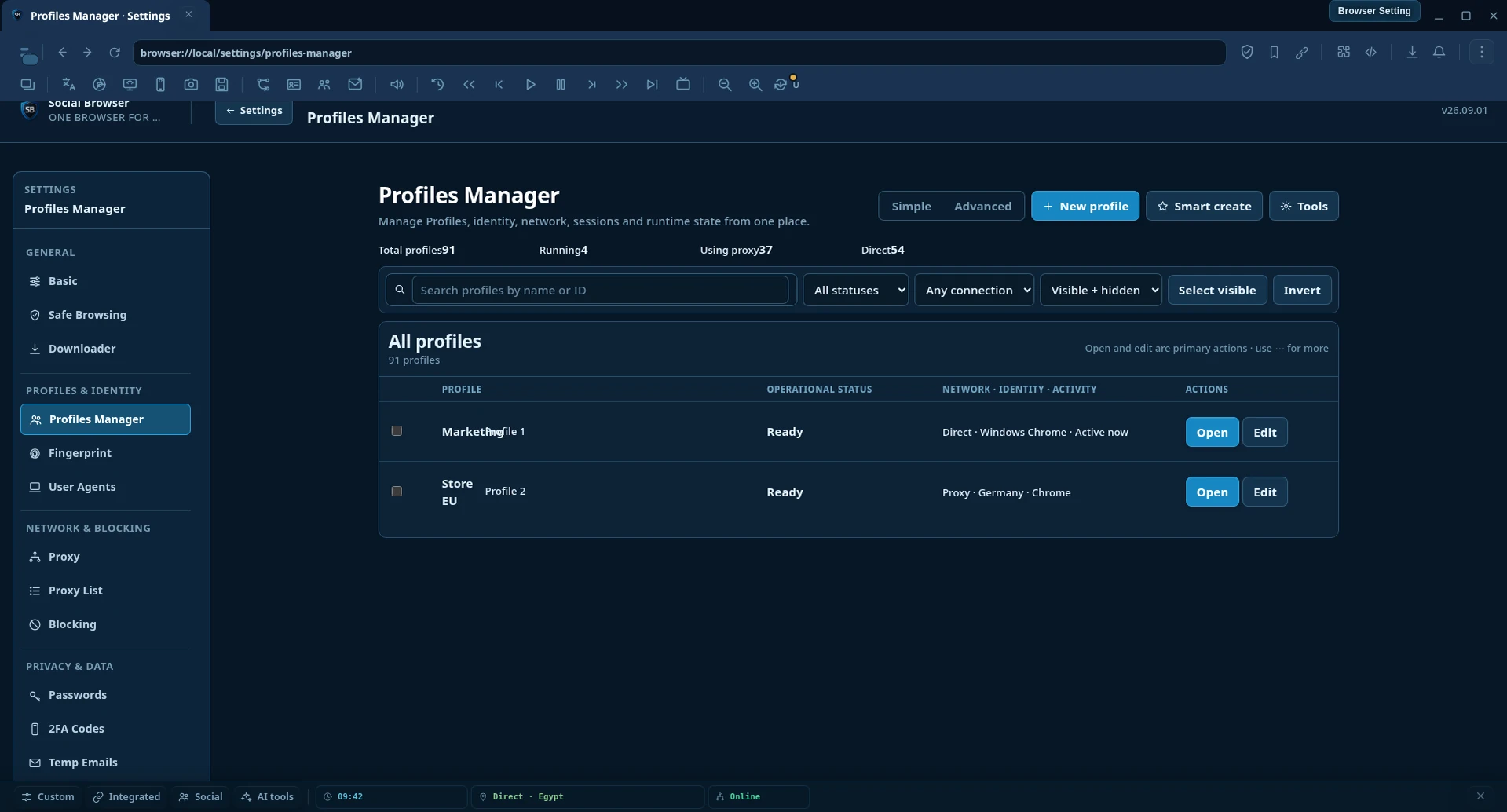
In that Profile's proxy configuration, select the supported custom proxy option, fill in the provider's hostname, port, authentication fields, and protocol if required. Save and return to the same active Profile for validation. Do not assume that a name shown in the browser's toolbar verifies the network route.
If the browser offers an automatic fallback mode, explicitly understand whether it may switch to another route under connection failure. Sensitive workflows that require a fixed regional origin may need a stricter failure policy. Confirm the effective configuration with a real connection test rather than relying only on a saved setting.
4. Validate the exit route from within the actual Profile
- Open a neutral public IP information page in the active Profile.
- Record the external IP and the reported country or region.
- Compare them with the Proxy001 dashboard's selected endpoint.
- Check whether the next request or page reload retains the address when continuity is required.
- Test the actual authorized work site, without exceeding its rates or rules.
- Repeat the test after connection drops, profile changes, or network fallback.
One IP lookup is not proof of a whole provider's performance. Geolocation databases may disagree; check more than one trusted source if country or city accuracy matters. A successful IP lookup also does not establish that cookies, DNS behavior, WebRTC handling, or all other traffic categories follow the same path. Evaluate those questions according to the application's documented behavior and your project's security requirements.
For a meaningful internal check, track success and failure rates across representative runs, connection timeouts, median page response time, session interruptions, and whether the expected country remains stable. Never fabricate a performance number based on a provider's promotional copy.
5. Decide between sticky, rotating, and static based on evidence
Sticky residential: Useful when a series of authorized interactions should remain on one endpoint for a bounded duration. Inspect the provider's actual limit and test continuity before using it with important sessions.
Rotating residential: More relevant to distributed requests or permitted public data collection when different exit IPs serve a legitimate purpose. Rotation per request can create unnecessary sign-in challenges for interactive accounts and should not be treated as the default for persistent browser sessions.
Static residential or datacenter: Could be appropriate for ongoing authorized operations that need reproducibility, provided the provider's network characteristics and service terms align with the application. Static does not imply unrestricted access, privacy guarantees, or immunity to service-side risk checks.
6. Troubleshoot the whole route systematically
| Observed problem | Likely checks |
|---|---|
| Authentication failure | Username, password, authorized IP list, exact endpoint format |
| Connection timeout | Proxy host/port, network reachability, protocol, provider status |
| Unexpected country | Requested location, active Profile, current exit IP, geo database differences |
| Route changes mid-session | Sticky interval, provider rotation, browser fallback setting, connection interruption |
| Website requests extra verification | Account authorization, service policy, location consistency, normal recovery process |
Keep a simple incident record. Note the Profile ID, test timestamp, intended mode, proxy provider, last known network route and what actually happened. Never paste the proxy password or any account session token into support logs. If a website rejects a login, use its legitimate verification or recovery workflow rather than evading security checks.
7. A practical deployment checklist for small teams
- Record the legitimate purpose and the account or public data source you are authorized to access.
- Pick a single Proxy001 plan only after reading its current pricing, session, regional and usage terms.
- Use a dedicated Social Browser Profile and an unambiguous name.
- Enter the generated endpoint and credentials using the Profile's supported proxy controls.
- Verify the actual exit IP and requested region in that same Profile.
- Observe continuity across the expected session interval and document failures.
- Protect credentials and require review before changing a production Profile's network route.
For agencies and operators managing many independent projects, this is easier to scale than a single shared proxy for every account. It also provides a basis for support: when a problem occurs, you know which project, Profile, route, and timestamp to investigate.
What to verify before buying or renewing
Proxy001's public pages describe residential IP coverage, regional controls and multiple pricing models, but their figures and promotional discounts should be treated as vendor claims that may change. Evaluate real tests on your target sites, available support, local regulations, cancellation/refund policy, exact traffic accounting, and whether the offering supports the protocols and session lifetimes you need. We have intentionally not published a discount percentage or time-limited promotion without partner confirmation.
If you are reviewing available products, use the existing Social Browser partner link for Proxy001 and confirm the current offer directly with the vendor before purchasing. This is not a native integration, a paid performance ranking, or a guarantee of success.
Conclusion
Proxy configuration is successful when the right authorized workflow has a deliberate route, credentials remain protected, session behavior is predictable, and the observed exit network matches the documented intention. Pairing Proxy001's provider-documented endpoint generation with Social Browser's per-Profile settings is one way to evaluate that approach; real-world verification remains essential.
Further reading: Proxy001 residential setup instructions · Social Browser · Partners directory.