
How to Choose Groups and Chats for Promotion Without Wasting Time on Ineffective Placements
Posting in a relevant community does not guarantee that potential customers will see your offer. A group may have thousands of members, while most of the activity comes from sellers, specialists, or people who simply do not need your product.
A similar situation was described by a seller on Reddit. They regularly posted products in around a dozen Etsy-related groups, but instead of buyers they mostly received messages from scammers. In their experience, community members were mainly showing products to one another. The fact that a group was related to Etsy did not prove that it contained the audience they actually needed.
That is why it is better to evaluate a community before making regular placements. First, check who the audience is and review the community rules. Then run a small test and track the placement itself, clicks, and inquiries separately.
This gives you a list of communities where the next action is clear for each one: keep placing, change the approach, clarify the terms, or stop using it.
Check Whether Your Buyers Are Actually in the Community
A group name and topic are only a preliminary signal. The actual audience inside may be very different.
You need to understand why people join the community, what they discuss, and what problems they are trying to solve.
Look for Situations Where Your Product Is Needed
Do not search for communities only by the name of your product. It is more useful to start from the situation in which the need arises.
For example, an order-management service may be useful to owners of small workshops. But the relevant discussions may take place not in communities about business software, but in groups where workshop owners talk about lost orders and manual tracking.
A similar approach also appears in the experience of promoting small products. In one discussion, the founder of a dating service described how they looked for their first users through general and local communities. Some participants actually asked for a link to the product.
This is not a universal promotion method. It illustrates a different point: a potential customer may be found close to the problem your product solves rather than close to its formal product category.
Before searching for communities, define:
- who the offer is for;
- the situation in which the person needs it;
- the problem they want to solve;
- which constraints matter when making a purchase;
- what action you want the person to take after seeing the offer.
After that, it becomes easier to find communities based on real indicators of demand.
Separate Demand from Seller Activity
Topic-related activity alone does not equal demand.
A feed may constantly feature new products, services, and promotional offers. That shows that sellers use the community, but it tells you nothing about how many buyers are there.
That is why you should review recent discussions and ordinary posts, not only the most popular content.
Look for several signals:
- members ask about products, pricing, timelines, and terms;
- the questions come from people who resemble your expected buyers;
- discussions receive substantive replies;
- the audience matches your target language and geography;
- the feed is not made up only of seller offers;
- members discuss the problem your product solves.
A seller-focused group should not be excluded automatically. Sellers may be irrelevant for some offers, but for others they may be the buyers themselves. For example, a materials supplier or a business-management service may specifically target sellers.
So the goal is not to assess abstract “audience activity,” but whether the community fits a specific offer.
Find Out How You Are Allowed to Place an Offer
Even the right audience does not mean you can freely publish advertising.
Every community has its own rules. Some allow dedicated promotional threads, some require administrator approval, and some prohibit commercial offers entirely.
Clarify the Format, Publisher, and Placement Terms
Before placing anything, record the community rules:
- whether you can publish the post yourself;
- whether there is a dedicated thread for offers;
- whether links and images are allowed;
- whether commercial offers are permitted;
- who is supposed to publish the material;
- whether prior approval is required;
- whether there is a fee;
- when the material may be posted again;
- what to do if the submission is rejected.
Telegram adds another boundary. A user you find in a relevant chat does not automatically become a recipient of an advertising message. Telegram treats unsolicited messages and advertising as reasons users may submit spam complaints.
If the placement terms are unclear, leave the community with a “clarify” status. Silence from an administrator is not permission.
Separate Approval from the Actual Placement
Receiving permission does not mean the post has actually been published.
A post may still be awaiting review, never appear in the feed, or disappear later. In one discussion, a user described approved posts in buy-and-sell groups that later vanished. The reason for their removal was not confirmed in the discussion.
After submitting the material, check separately:
- whether the post appeared;
- whether other members can see it;
- whether the intended link is still present;
- whether the publication matches the agreed format;
- whether it disappears later.
If the post disappears, first record that fact and clarify the reason. Do not attribute the removal to the link, browser, network address, or any other factor without evidence.
This also matters when evaluating the result. If the post never appeared, the absence of inquiries says nothing yet about the quality of the community or the offer itself.
Set Up a Test That Leads to a Clear Decision
After checking the audience and the rules, the remaining question is whether the community produces a useful result.
You do not need to launch a large number of placements immediately. Start with clear test conditions.
Choose One Offer and One Target Action
For a single test, define one specific offer and the action you want to receive.
This might be a request for a quote, a registration, an order, a demo request, or joining your own community.
Define in advance what counts as a qualified inquiry. For a service, this might be a person from the target region who describes their task and asks about working terms.
A message from another seller, a barter proposal, or a suspicious inquiry should be tracked separately.
When comparing communities, keep the test conditions as comparable as possible. If one group receives a free resource while another is shown a paid service immediately, you cannot compare the results only by the number of inquiries.
Assign a Separate Link and Registry Entry to Each Placement
To compare communities, you need to tie the result to a specific placement.
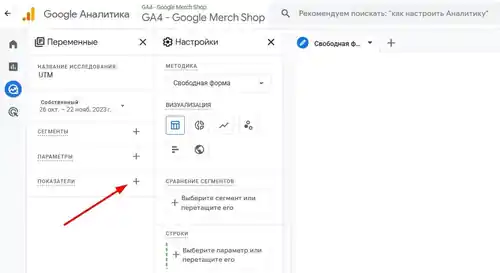
For website visits, you can use separate tracking parameters in your links. Google Analytics supports these parameters for identifying traffic sources and campaigns.
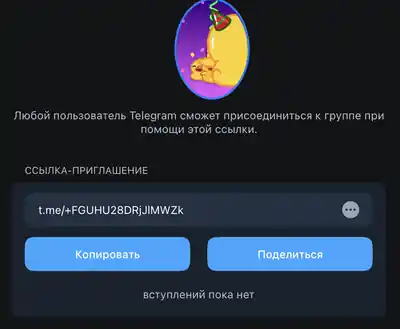
If the goal is to bring people into your own Telegram community, you can create separate invite links. They can be limited by expiration date and number of uses.
In your working registry, it is enough to store the community, material, link, publication date, result, and next action.
Every metric also has limitations.
A click is not an inquiry. Joining a channel is not a purchase. An invite link does not always show where a person first encountered the offer, especially if the link is forwarded. An unknown source should not be assigned to a community based on guesswork.
If one person sends several messages, that is still one lead, not several customers.
Analyze What Happened After the Placement
“No leads” is too broad a conclusion. First determine at which stage the problem occurred.
Check the Placement, Clicks, and Inquiries Separately
Start with the placement itself.
- Is the post available? If it was rejected, removed, or is still awaiting approval, the test was not completed.
- Are there clicks? If the post is live but there are no clicks, first check the link and tracking setup. Then consider the post’s visibility, the offer itself, and how well the audience fits.
- Are there inquiries after the clicks? If people click but do not contact you, check the next step. The page should match what the post promised, and the form or contact method should work.
- Are the right people contacting you? Review the content of the messages separately. A large number of responses is not useful if most come from sellers, scammers, or people outside the target region.
This breakdown prevents different problems from being mixed together. A community may generate clicks but no inquiries. It may generate inquiries from the wrong people. Or it may not provide a proper opportunity to run the test at all.
Calculate Costs, Including Your Time
A free placement still has a cost. You need to find the community, review its rules, prepare the material, coordinate the placement, and check the result.
For comparison, include both the placement fee and the time spent.
For example, Community A is free, but working with it takes three hours. Community B costs ₽1,000 and takes one hour to prepare. If you value one hour at ₽800 and both communities generate two qualified inquiries, the calculation looks like this:
Community A:
3 × 800 / 2 = ₽1,200 per inquiry.
Community B:
(1,000 + 800) / 2 = ₽900 per inquiry.
This is only an illustrative example, not an industry benchmark. It simply demonstrates the calculation principle.
It is also useful to separate the initial research cost from recurring work. If a group turns out to be unsuitable after review, the time spent finding and evaluating it was still a real cost.
If there are no qualified inquiries, do not calculate a cost per inquiry. Record the total cost and the zero result.
Organize Repeat Placements in Communities That Have Passed the Test
After testing, you have a list of communities where the rules, publication format, and results are already known.
The next task is to avoid researching the same information from scratch every time.
Separate Projects When Working in a Browser
If a specialist works with several projects at once, it is important not to mix the working environments of different clients.
You can use separate Social Browser profiles for this. They keep cookies, sessions, local storage, and browsing history isolated between profiles.
The community registry can include the relevant working profile. Before publishing, the specialist checks that the correct project is open, the right account is selected, and the approved material is being used.
The browser profile itself does not determine whether a community is suitable for promotion. That still requires prior evaluation.
Send Messages Only to Telegram Chats You Have Already Selected
When working with Telegram chats, you can pass the prepared list to Telegram Soft Expert after the selection stage.
The program supports message broadcasts to a list of chats. You can upload a prepared list or enter links and usernames manually. This lets you work with an already verified set of communities instead of entering each chat again.
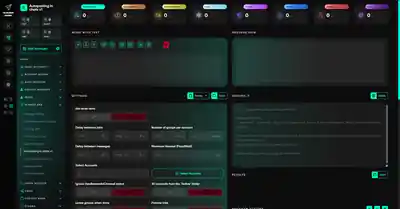
Automation does not replace the selection process. A person first checks the audience, rules, and placement terms. Suitable chats can then be split into separate tasks based on the message and the agreements for each community.
The result still needs to be checked separately after sending. A successful send status does not mean the message was read or generated an inquiry.
What to Do in Ambiguous Cases
Not every community can be classified immediately as “suitable” or “unsuitable.”
For example, a group may contain potential buyers while its advertising rules remain unclear. In that case, the next step is not to launch a broadcast. The terms need to be clarified first.
- If the post was approved but did not appear, check the placement status first.
- If the post is live but there are no clicks, check the link and tracking.
- If there are clicks but no inquiries, analyze the step after the click.
- If there are many messages but almost no potential buyers among them, reassess the audience and the offer itself.
Every community should end up with a specific next action.
| What Happened | What We Already Know | What We Do Not Know Yet | Next Action |
|---|---|---|---|
| The feed is mostly seller offers | Seller activity is clearly high | Whether buyers for your product are present | Find real requests and check whether the offer fits |
| Potential buyers are asking questions | There are signs of possible demand | Whether the required advertising format is allowed | Study the rules and clarify the terms |
| The post was approved but not published | Approval was received | Whether the audience will actually see it | Clarify the status |
| The post appeared and then disappeared | The placement was interrupted | The reason and actual reach | Record the event and clarify the reason |
| The post is live, but there are no clicks | The placement happened | Whether the problem is the link, visibility, or the offer | Check the link and tracking |
| There are clicks, but no inquiries | People reached the next step | What prevented them from contacting you | Check the page, form, and terms |
| There are many messages, but few qualified inquiries | There is general activity | Whether the problem is the audience or the offer | Review the content of the inquiries |
| There are qualified inquiries | A useful result was achieved | Whether the result is repeatable and cost-effective | Calculate costs and repeat the test |
This table does not claim to identify universal causes of unsuccessful placements. It helps determine what information should be checked next.
How to Organize Verified Communities in Telegram Expert
After selection, your list of Telegram chats is already a prepared working database. Telegram Expert can use it for message broadcasts to the selected chats.
This is especially useful when the number of communities grows and they need to be distributed across different tasks. Only verified chats are added to the list, rather than a random collection based on topic alone.
The specialist still decides where the offer should be sent. Telegram Expert automates work with the prepared list, but it does not determine whether buyers are present or calculate whether a placement is profitable.
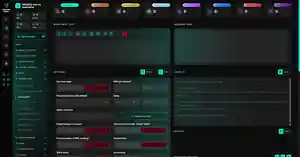
This keeps the logic of the entire process intact: evaluate the community first, run a test, record the result, and only then return suitable communities to regular work.
Working with selected chats is only one scenario where Telegram Soft Expert can be useful. If Telegram is part of your day-to-day operations, the work usually goes beyond placing messages. You may need to manage several accounts at once, keep them operational, manage authorizations and sessions, collect and clean databases, find the right audience, work with chats and channels, publish materials, send messages, and track results.
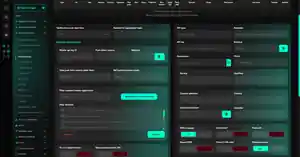
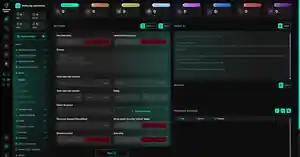
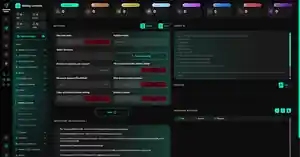
Telegram Expert brings tools for these tasks together in one program. It includes modules for account registration and warm-up, session management, audience collection, database management, subscriptions and invitations, publishing, messaging, and analytics. Separate tools help manage proxies, check their status, and monitor an IP pool. This makes the program useful across different workflows where the same actions need to be performed repeatedly for many accounts or communities.
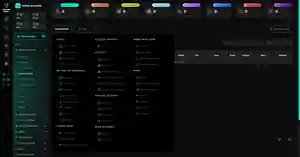
Not every Telegram Expert feature is specifically related to promotion through groups. Audience collection, for example, can be used to build your own databases; search tools help find relevant chats and channels; and account and session tools simplify the working environment itself. Telegram Expert should therefore be viewed as more than a messaging tool. If you regularly handle promotion, audience acquisition, multiple accounts, or other large-scale Telegram tasks, you can choose the modules required for a specific workflow and automate the repetitive part of the process.
Practical Workflow for Selecting Groups and Chats
- Define the offer. Record the buyer, their problem, geography, conditions, and target action.
- Build the list. Search for communities based on the buyer’s situation, the product category, and the context in which it is used.
- Review the discussions. Find real questions and requests related to your use case.
- Study the rules. Clarify the publication format, who publishes, pricing, dates, repeat placements, and restrictions.
- Set up measurement. Create a separate link, define a qualified inquiry, choose the observation period, and set a cost limit.
- Run the placement. Confirm that the post actually appeared and is visible.
- Record the result. Save clicks, inquiries, costs, problems, and any unknown data.
- Make a decision. Repeat the placement, change the element being tested, clarify the terms, or remove the community from the list.
A useful registry can store the project, community, signals of a suitable audience, terms, material, link, result, costs, and next action.
There is no need to set a universal number of groups or test duration in advance. The scale depends on your budget, available placement opportunities, and the length of the buying cycle.
FAQ
Can You Evaluate a Private Group Before Joining?
Only partially. The community description and information from the administrator provide preliminary data. If you cannot see the discussions, you have not yet completed a full audience evaluation.
The Administrator Approved Advertising. Can I Start Regular Placements Right Away?
First clarify the terms for repeat placements. Approval for one post does not necessarily mean future posts are also permitted. Record the format, dates, and content.
One Person Came from Several Groups. How Should I Count Them?
For the total number of potential customers, this is one person. If the sources are known, keep information about all touchpoints and define in advance how the result will be attributed across communities.
How Many Unsuccessful Placements Are Enough to Drop a Group?
There is no universal number. First check whether the placement actually happened, whether there was enough observation time, and whether the cost was reasonable relative to the result. A removed post and a completed test with zero results are not the same situation.
What If the Source of an Inquiry Is Unknown?
Keep the inquiry in a separate category. If possible, ask the person how they found you. Do not assign it to a community based on assumptions.
What If the Post Never Appeared?
First check the placement status and clarify the reason with the administrator. If the post was never published, you cannot use the result to evaluate demand for the offer.
A strong community database is not built around the number of groups you find. For every tested community, the next step should be clear: repeat the placement, change the offer, clarify the terms, or stop using that community.