
Choosing the Right Residential Proxy: A Practical Guide for Browser-Based Workflows
Choosing a residential proxy is not simply about finding a provider with the largest IP pool or the lowest price.
Different browser-based workflows require different levels of geographic coverage, IP stability, rotation, and session persistence. A proxy configuration that works well for short-term market research may not be the best choice for a browser session that needs to maintain the same connection for an extended period.
The right approach is to start with the workflow and then choose a proxy configuration that matches its requirements.
This guide explains the key factors to consider when selecting a residential proxy for browser-based workflows and how different proxy configurations can work alongside profile-based browsers such as Social Browser.

Start With the Workflow, Not the Proxy
There is no single residential proxy that is ideal for every browser workflow.
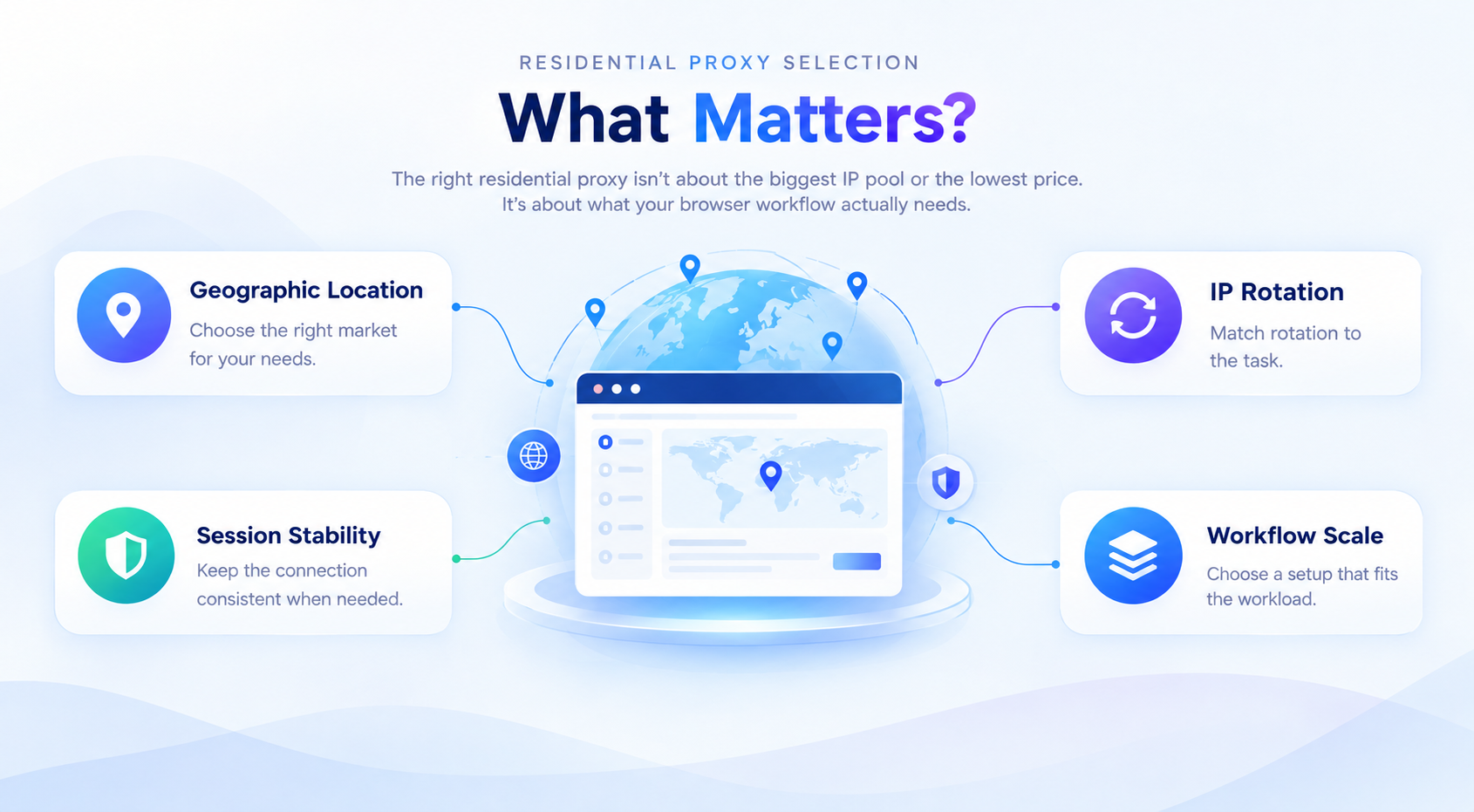
Before choosing a proxy, consider four basic questions:
- Where does the connection need to appear to come from?
- Does the session need to maintain the same IP address?
- Does the workflow require IP rotation?
- How large does the workflow need to scale?
The answers to these questions can help determine whether a rotating, sticky, or static residential proxy is more appropriate.
This is particularly important for browser-based workflows because the browser environment and network connection serve different purposes. A browser profile can maintain its own cookies, login information, and local settings, while the proxy determines how that profile connects to the internet and which geographic location it represents.
1. Geographic Location Comes First
For many browser-based workflows, geographic location is more important than the total number of available IP addresses.
If the goal is to understand how a website, search result, advertisement, or online service appears to users in a particular market, the proxy needs to provide an IP associated with that market.
For example, a business conducting international research may need to access websites from the United States, United Kingdom, Germany, France, Canada, or other specific markets.
Residential proxies are particularly useful for these scenarios because their IP addresses are associated with residential networks rather than traditional data-center infrastructure.
When geographic targeting matters, it is worth choosing a provider with broad location coverage and, when required, more precise targeting options.
For example, IPFLY residential proxies provide access to residential IPs across a wide range of locations, allowing users to select a network environment that matches their research and testing requirements.
The important point is simple: choose the location based on the task rather than choosing an IP first and trying to adapt the workflow around it.
2. Decide Whether the Session Needs the Same IP
The next question is whether the browser session needs to maintain a consistent IP address.
Not every workflow benefits from frequent IP changes.
When IP Rotation Makes Sense
Rotating residential proxies can be useful for workflows that involve collecting information across many requests, websites, or geographic locations.
Typical examples include:
- Market research
- Search result analysis
- Price comparison
- Large-scale website research
- Regional content research
- Data collection
In these situations, access to a changing pool of residential IPs can provide greater IP diversity.
However, frequent rotation is not always desirable.
If a workflow requires a continuous browser session, repeatedly changing the IP may introduce unnecessary instability or interrupt the session.
When a Stable IP Makes More Sense
Some browser workflows are better suited to a stable residential connection.
Examples include:
- Long-running browser sessions
- Location-specific testing
- Extended research sessions
- Workflows that depend on session continuity
- Browser profiles that need a consistent network environment
In these situations, a static or sticky residential proxy can be a better choice.
The distinction is straightforward. If the workflow benefits from IP diversity, consider rotation. If it depends on continuity, prioritize stability.
3. Understanding Rotating, Sticky, and Static Residential Proxies
Understanding the differences between residential proxy configurations makes it easier to select the right option.
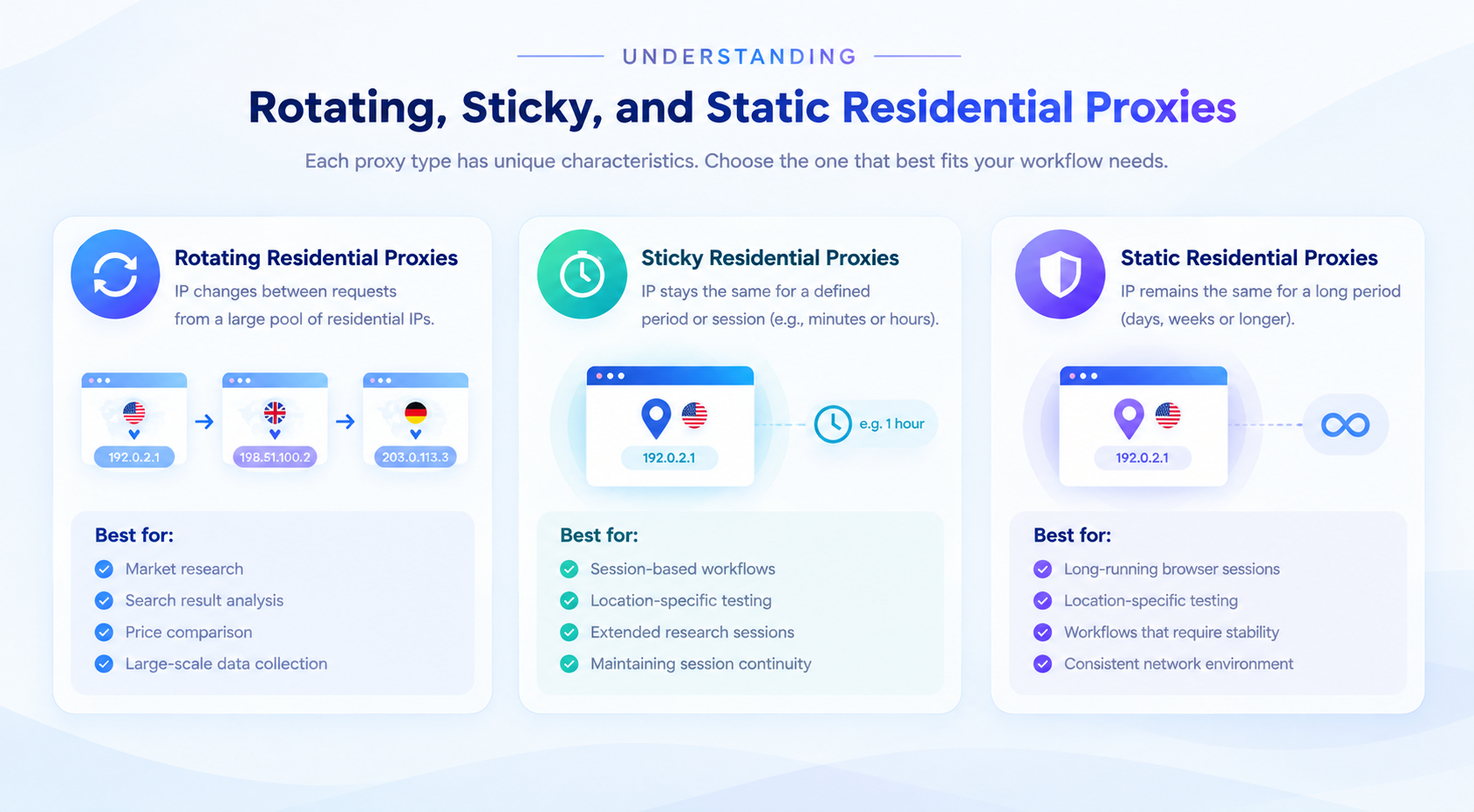
| Proxy Type | Best Suited For | Main Advantage |
|---|---|---|
| Rotating Residential | Large-scale research and data collection | IP diversity |
| Sticky Residential | Session-based workflows | Temporary IP persistence |
| Static Residential | Long-running sessions | Long-term IP stability |

Rotating Residential Proxies
A rotating residential proxy changes the assigned IP according to the provider's rotation settings. This can be useful when a workflow requires access to a broader range of residential IPs rather than maintaining one continuous connection.
Sticky Residential Proxies
Sticky sessions allow a residential IP to remain associated with a session for a defined period. This provides a balance between IP rotation and session continuity.
Static Residential Proxies
Static residential proxies are designed for longer-term IP persistence. They can be particularly useful when a browser session needs to maintain a stable network environment over an extended period.
IPFLY static residential proxies are designed for scenarios where maintaining a consistent residential IP is more important than continuously changing addresses.
4. Browser Profiles Are Another Layer of the Workflow
Proxy selection is only one part of browser-based workflow management.
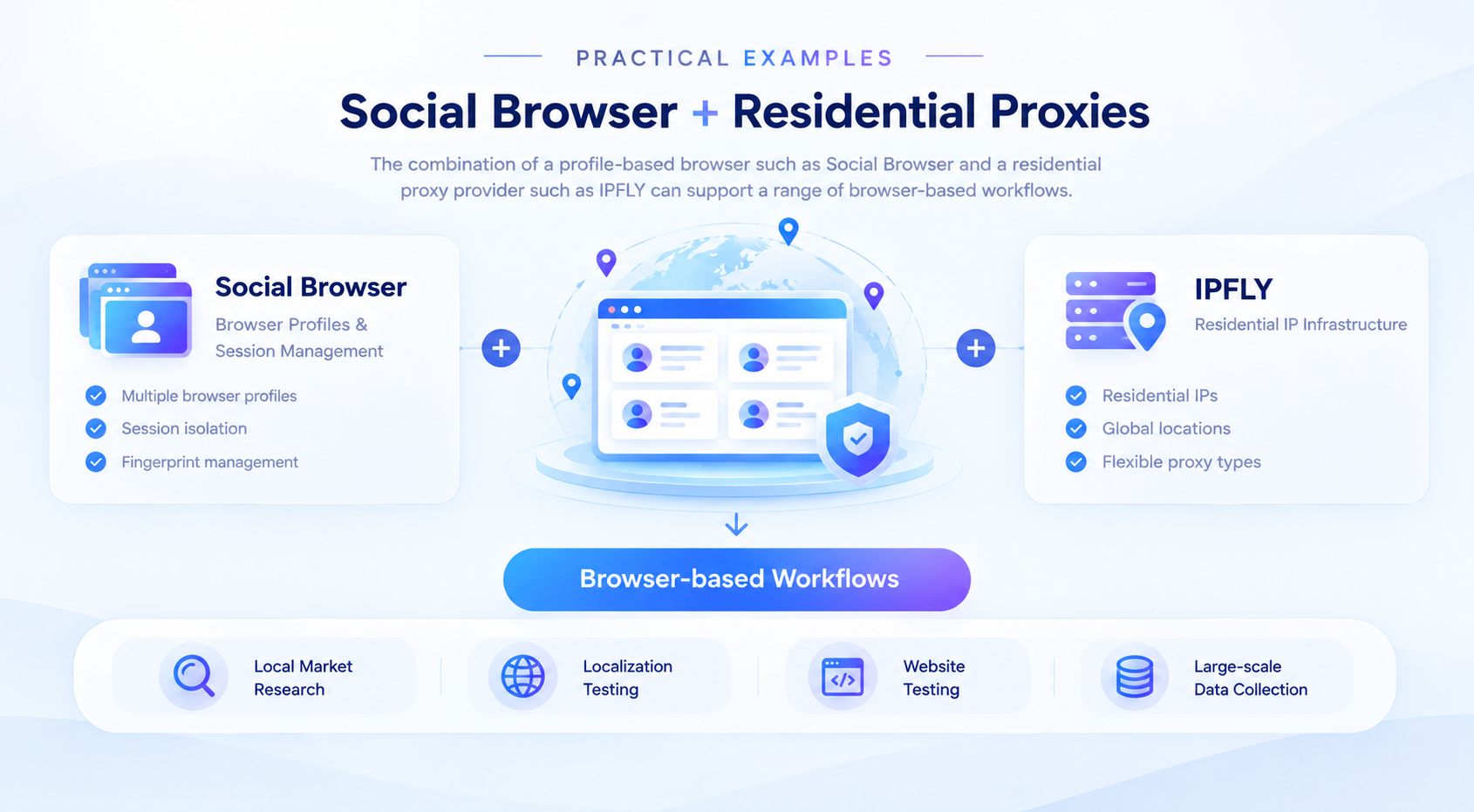
A profile-based browser such as Social Browser can separate browser environments so that different profiles maintain their own cookies, logins, local storage, and other session-related information.
This creates a useful separation between the browser environment and the network environment. The browser profile manages the local browser session, while the proxy manages the network connection and geographic routing.
Keeping these two layers organized makes it easier to manage different workflows without mixing unrelated browser sessions or proxy configurations.
5. Match Geographic Targeting to the Purpose of the Task
Geographic targeting becomes especially valuable when researching localized online experiences.
A website may display different search results, product prices, advertisements, promotions, local content, language options, or availability information depending on the visitor's location.
A practical setup could involve separate browser profiles for each target market, with each profile using a residential proxy from the corresponding location. This makes it easier to conduct the same test under different geographic conditions while keeping the research environments organized.
6. More IPs Do Not Always Mean a Better Setup
One common mistake is assuming that a larger IP pool automatically means a better proxy solution. In practice, the quality of a proxy configuration depends on how well it matches the workflow.
For example, a workflow that requires a stable session may gain little from having thousands of rotating IPs. Likewise, a short-term research task may not need a dedicated long-term IP.
Instead of asking how many IPs are available, it is more useful to ask what kind of IP behavior the workflow actually requires.
7. Practical Examples With Social Browser and Residential Proxies
The combination of a profile-based browser such as Social Browser and a residential proxy provider such as IPFLY can support a range of browser-based workflows.

Example 1: Local Market Research
- Create separate browser profiles for each target market.
- Assign a residential proxy to each profile.
- Select the appropriate geographic location.
- Conduct the same research through each profile.
- Compare the results across markets.
Example 2: Long-Running Browser Sessions
For extended sessions, a suitable approach may be to create a dedicated browser profile, assign a stable residential proxy, and maintain the same proxy configuration throughout the session.
Example 3: Large-Scale Research
When the objective is to collect information across many requests, locations, or websites, rotating residential proxies can provide greater IP diversity while browser profiles organize different research sessions.
Example 4: Website and Localization Testing
| Test Environment | Browser Profile | Proxy Location |
|---|---|---|
| United States | US Profile | United States |
| United Kingdom | UK Profile | United Kingdom |
| Germany | DE Profile | Germany |
| France | FR Profile | France |
8. A Simple Proxy Selection Framework
Need different geographic locations? Choose a residential proxy provider with broad geographic coverage and suitable location targeting options.
Need a different IP for different requests? Consider a rotating residential proxy.
Need the same IP during a session? Consider a sticky residential proxy.
Need long-term IP continuity? Consider a static residential proxy.
Need multiple independent browser environments? Use separate browser profiles and configure the appropriate proxy for each profile.
9. What Should You Monitor After Choosing a Proxy?
Connection Stability
Frequent connection failures can interrupt browser sessions and reduce workflow efficiency.
Response Time
A proxy that consistently introduces significant latency can become a bottleneck for browser-based workflows.
IP Availability
A large geographic requirement is only useful when the required locations are consistently available.
Session Persistence
For session-based workflows, check whether the proxy maintains the expected IP for the required duration.
Success Rate
Monitor how often requests and browser actions complete successfully instead of evaluating the proxy solely by its advertised specifications.
10. Common Proxy Selection Mistakes
Choosing Only Based on Price
The cheapest proxy may not provide the geographic coverage, stability, or session behavior that the workflow requires.
Using Rotation When Stability Is Required
Frequent IP changes can be counterproductive for workflows that depend on session continuity.
Ignoring Geographic Requirements
Choosing a proxy without considering the target market can make location-sensitive research less reliable.
Using the Same Configuration for Every Workflow
Different tasks have different requirements. A research workflow and a long-running browser session should not necessarily use the same proxy strategy.
Focusing on IP Quantity Instead of IP Quality
A large IP pool is useful only when it supports the actual requirements of the workflow.
Social Browser and Residential Proxies: A Practical Combination
A profile-based browser and a residential proxy provider solve different parts of a browser workflow.
Social Browser focuses on the browser environment. Its profile-based approach helps users organize browser sessions and keep profile data separated.
The proxy provider focuses on the network environment. IPFLY provides residential proxy options for this network layer, including geographic access, IP rotation, session persistence, or long-term IP stability depending on the selected configuration.
IPFLY Offer for Social Browser Users
Social Browser users can use promo code 260915 with IPFLY: 30% off for new users and a permanent 15% discount on repeat purchases.
Visit the official IPFLY website to explore its proxy services.
How to apply promo code 260915
Step 1: On the IPFLY purchase page, choose Redeem coupons.
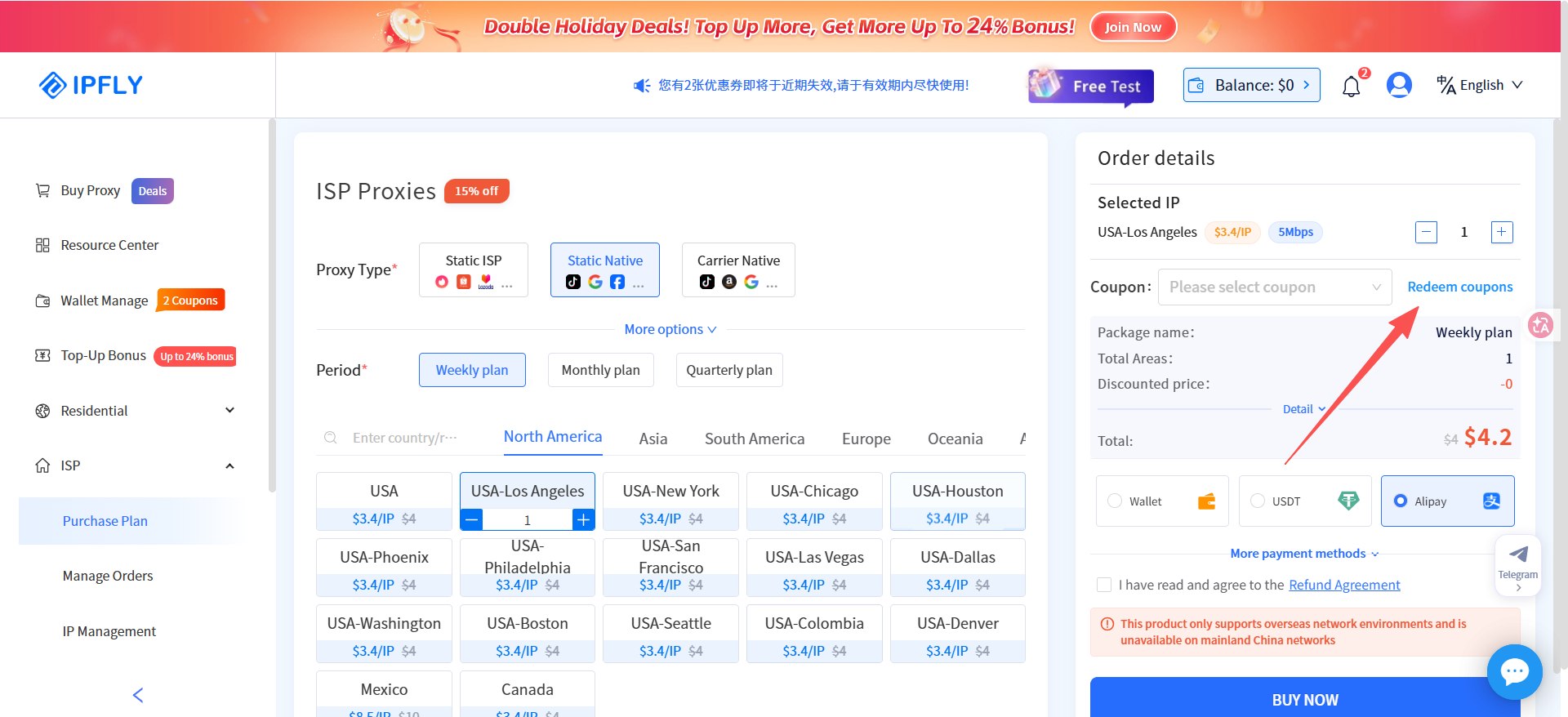

Step 2: Enter coupon code 260915 and activate it.
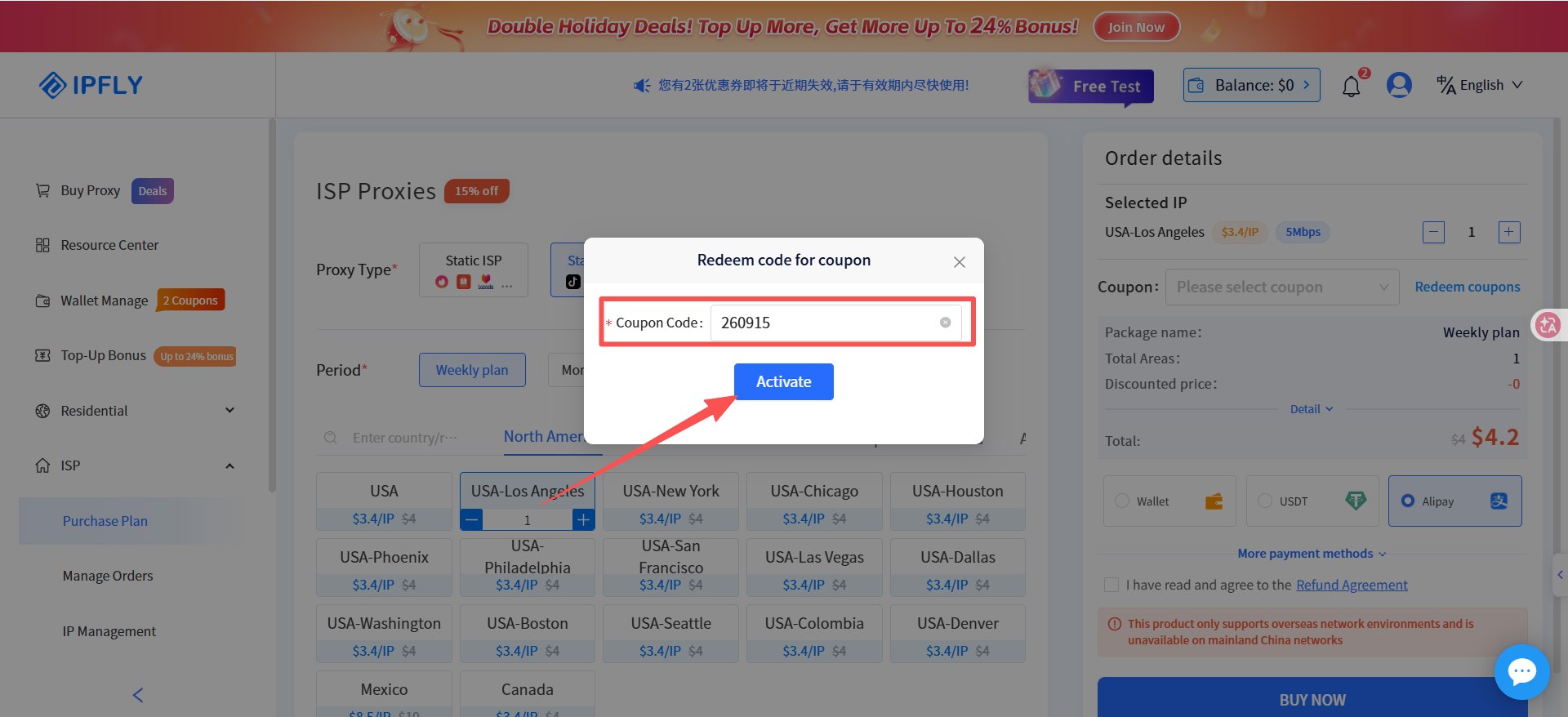

Step 3: Confirm the coupon is applied before completing the purchase.
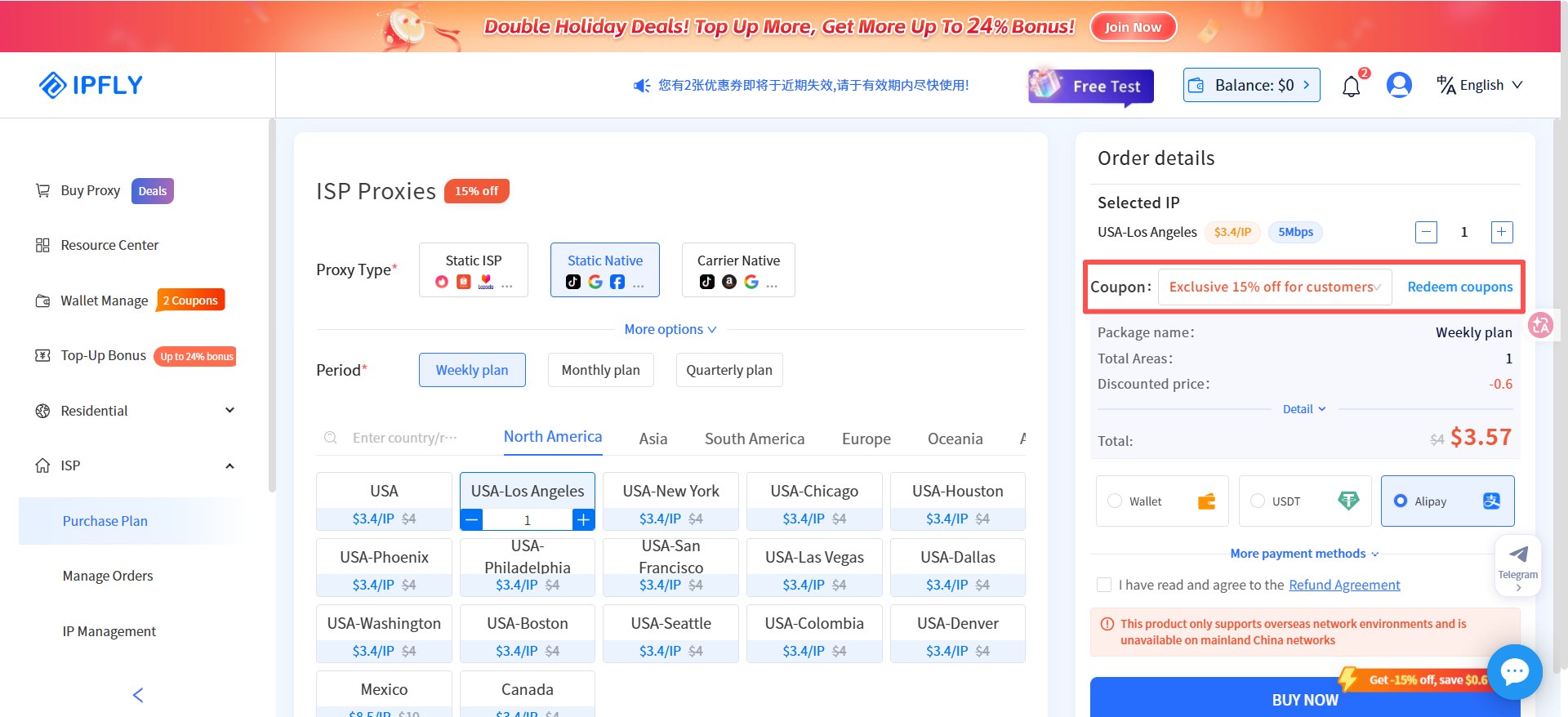

You can also review IPFLY's proxy locations and static residential / ISP proxy options.
Final Thoughts
Choosing a residential proxy should start with the requirements of the workflow rather than with a provider's IP count or pricing page.
Ask four questions first:
- Where does the connection need to appear to come from?
- Does the session need a stable IP?
- Does the workflow benefit from IP rotation?
- How many independent browser environments are required?
Once these requirements are clear, choosing between rotating, sticky, and static residential proxies becomes much easier.
For browser-based workflows, the most effective setup is rarely the one with the most features. It is the one where the browser environment, proxy behavior, geographic location, and session requirements work together in a way that supports the actual task.
That is the real purpose of proxy selection: not simply getting access to more IPs, but building a network environment that fits the way the browser workflow operates.

